
How CCTV Installers Can Avoid Warranty Issues – Part 1: Understanding the Root Causes of Failures
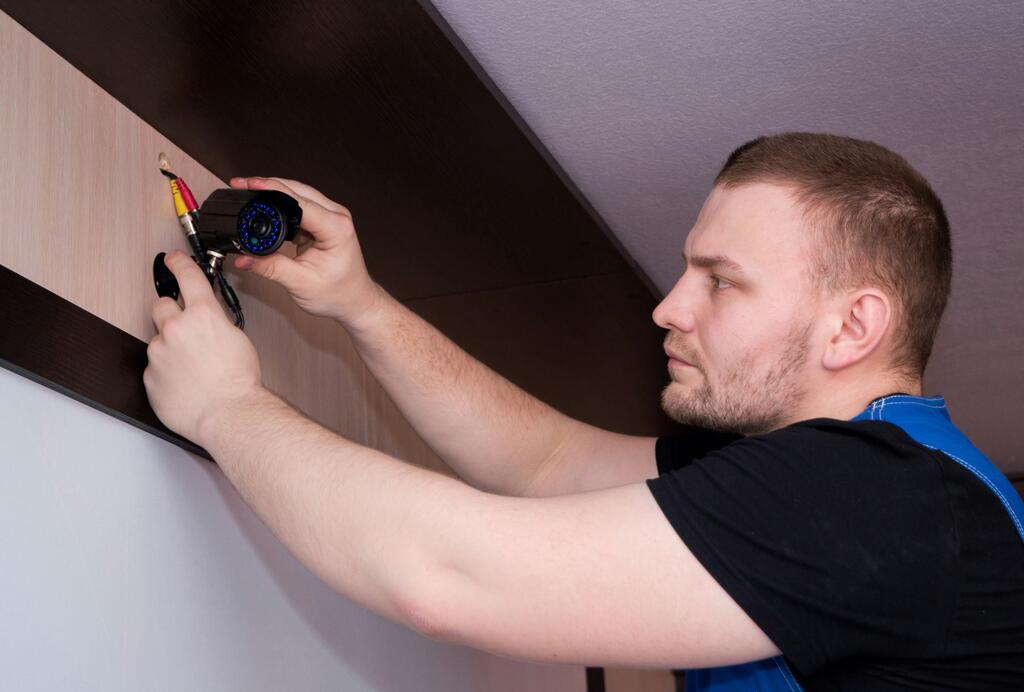
Warranty issues rarely begin when a product is returned. In most cases, the real problem starts earlier, during specification, installation or commissioning.
A camera may appear faulty when the cause is unstable power. An NVR may keep restarting because the hard drive is unsuitable. An outdoor camera may fail after water enters through a poorly sealed cable entry point. Unless you identify the root cause, you can replace the equipment and face the same problem again.
For you as an installer, every avoidable return affects time, labour and customer confidence. If 2 return visits cost £95 each in labour and travel, plus £60 in replacement materials, a preventable issue has already reduced the job margin by £250.
The best way to protect your margin is to understand why CCTV equipment fails and design the risk out of the installation.
Separate product failure from installation failure
When a system stops working, it is easy to assume the camera, recorder or switch has failed. However, the device at the centre of the complaint may only be reacting to another issue.
Before starting a warranty return, check the complete system:
- Power: Confirm that voltage is stable and the supply supports the connected load.
- Cabling: Inspect cable quality, length, joints, bends and physical damage.
- Connections: Check plugs, terminals and weatherproof joints for poor termination or corrosion.
- Network: Review IP addresses, bandwidth, PoE demand and switch capacity.
- Environment: Look for water, condensation, heat, dust and restricted airflow.
- Configuration: Confirm that resolution, frame rate and recording settings match the equipment.
A structured check is more reliable than swapping parts until the system starts working.
Incorrect equipment specification
Many warranty problems begin with equipment that was never suitable for the job.
You should not fit a basic indoor model in an exposed loading bay simply because it sits under a roof. Wind-driven rain, condensation and temperature changes can still reach it. Choose suitable external CCTV cameras for outdoor and semi-exposed areas, and confirm the required environmental rating before installation.
Higher-resolution IP CCTV cameras also create larger data streams. If the recorder, network or storage has not been selected for that demand, you may see dropped frames, delayed playback or unstable recording.
Match each component to the real site conditions rather than using the same standard kit for every job.
Unstable or underspecified power
Poor power can create random reboots, image loss, infrared switching problems and cameras that work during the day but fail at night.
For 12V systems, use suitable CCTV power supplies with enough capacity for every connected device. Remember that a camera may draw more power when infrared lighting or heaters activate.
On IP systems, calculate the power requirement of each device before selecting PoE switches. Do not size a switch by port count alone. Check its total PoE budget and the maximum power available per port.
Leave sensible headroom. A switch operating close to its limit may pass initial testing but become unreliable at peak demand.
Poor-quality cable and terminations
Cabling faults often look like equipment faults. A damaged conductor, excessive cable length or poor termination can cause image loss, voltage drop and unstable network connections.
Use suitable CCTV cable and avoid mixing unknown cable types on the same project. Check whether the cable is intended for internal, external or underground use.
Loose BNC connections, badly crimped RJ45 plugs and exposed joints can create faults days or weeks after handover. Reliable connectors and tools help you make consistent terminations and reduce call-backs.
Test every cable before final commissioning. A visual check is not enough.
Water ingress and poor weather sealing
An outdoor-rated camera can still fail if water reaches the connector, cable entry or junction point. The product rating only protects the camera when it is installed correctly.
Do not leave connectors exposed behind the camera. Use suitable junction boxes, glands and housings and brackets where extra protection is needed.
Create a drip loop so water cannot run along the cable into the entry point. Seal external joints properly, but avoid trapping moisture. Where possible, position connections in a protected enclosure that remains accessible for testing.
If condensation repeatedly forms inside a housing, investigate the sealing and temperature changes instead of simply replacing the camera.
Recorder and storage problems
A recorder must be matched to the number, resolution and bitrate of the connected cameras.
Select IP CCTV NVRs by incoming bandwidth and recording requirements, not only by channel count. An 8-channel recorder is not automatically suitable for every 8-camera system.
Storage matters too. Use purpose-built surveillance hard drives and calculate capacity using expected bitrate, recording schedule and retention period.
Allow airflow around the recorder. A closed cupboard with poor ventilation can cause heat build-up and intermittent shutdowns.
Configuration and compatibility errors
Not every fault is physical. Incorrect settings can cause missing recordings, poor playback and unstable connections.
Check that camera resolution, encoding format and frame rate are supported by the recorder. Confirm firmware compatibility and avoid unnecessary updates immediately before handover.
Use suitable camera and NVR accessories rather than improvised adaptors. After configuration, restart the system and complete a full recording and playback test.
Insufficient testing before handover
A system showing live images is not necessarily ready for the customer.
Use CCTV test monitors and appropriate network tools to confirm signal quality, voltage, focus, field of view and connectivity. Then verify recording, playback, remote access, user permissions and time settings.
Your handover record should include:
- Products: Record model numbers and serial numbers.
- Settings: Save key network, recording and image settings.
- Tests: Note the checks completed and any site limitations.
- Images: Photograph external joints, cabinet layouts and camera positions.
- Instructions: Explain basic operation and maintenance to the customer.
Good records make diagnosis easier and help show that the equipment was installed correctly.
Investigate before starting a warranty return
Before removing a product, test it with known-working power, cable and network connections where practical. Record the symptoms clearly and avoid opening or altering the unit in a way that could affect the warranty.
Review the supplier’s returns policy before sending equipment back. Include the invoice details, serial number and a useful fault description. “Not working” gives the test team very little to investigate.
A proper diagnosis reduces the risk of a no-fault-found result and another chargeable visit to reinstall the same equipment.
Build reliability into every CCTV installation
Most warranty disputes can be reduced by getting the basics right: correct specification, stable power, suitable cable, protected connections, compatible equipment and thorough commissioning.
When you need help selecting dependable equipment for an upcoming project, speak to FVS CCTV. The team can help you match cameras, recorders, storage, power and accessories to the site, so you can complete the installation with fewer call-backs and greater confidence.