
CCTV Monitor Selection For Trade Projects: Screen Size, Input Types, And Viewing Distance Made Simple
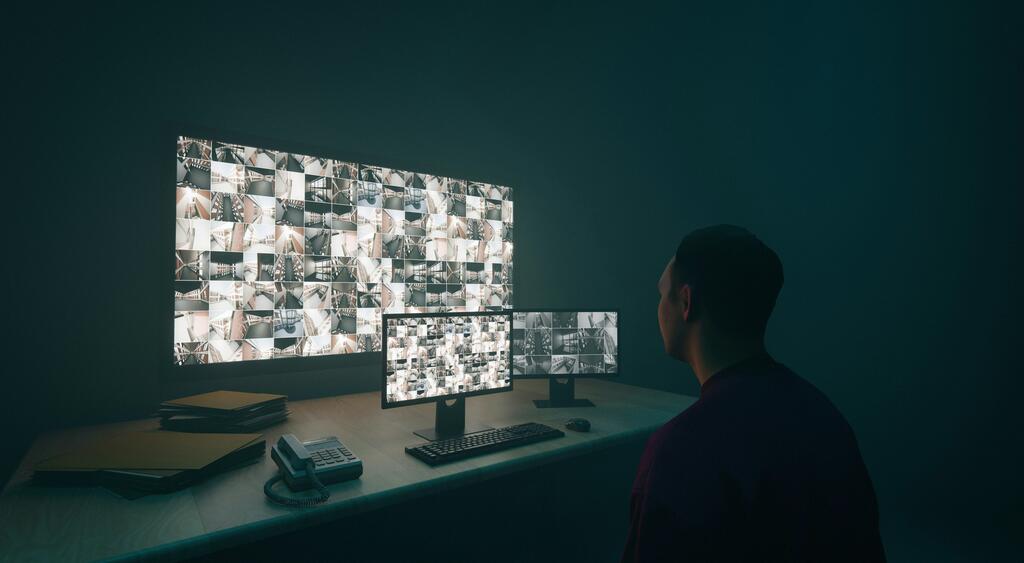
When you are pricing or specifying a CCTV job, it is easy to put most of your attention on the cameras and recorder, then treat the monitor as an afterthought. In practice, that can cause problems. A poor screen choice can make footage harder to review, make control room layouts awkward, and leave you dealing with messy compatibility issues on site.
The good news is that choosing the right display does not need to be complicated. If you keep your focus on 3 things — screen size, input types, and viewing distance — you can usually narrow it down quickly and choose a monitor that suits the job properly.
If you are building out a full system, it also helps to think about the screen as part of the wider package, alongside your IP CCTV Cameras, IP CCTV NVRs, POE Switches, Surveillance Hard Drives, and Camera & NVR Accessories. FVS CCTV also has a dedicated CCTV Monitors section, along with CCTV Test Monitors, HDMi and 4K Extenders, HDMi and VGA Leads, and Wall Brackets, which tells you straight away that the display side of a job deserves proper thought too.
Start With How The Screen Will Actually Be Used
Before you look at size or resolution, ask yourself a simple question: what is this monitor being used for?
That matters because a monitor for a reception desk is not the same as a monitor for a back-office review station, and neither is the same as a display in a control room. Some screens are there for occasional live viewing. Others are there for spot checking incidents. Others will be on for long periods every day.
If the monitor is part of a permanent viewing position, you want something that feels comfortable and practical for that environment. If it is mainly for setup, commissioning, and testing, then a compact purpose-built screen may make far more sense than a larger fixed display. FVS CCTV carries both standard CCTV monitors and dedicated test monitors for exactly that reason.
Screen Size: Bigger Is Not Always Better
A lot of installers assume the safest choice is simply to go as large as possible. Sometimes that works, but not always.
A bigger screen only helps if the user can actually benefit from the extra size. If the monitor is going on a desk at close range, something oversized can feel uncomfortable and make it harder to take in multiple camera views at once. On the other hand, a small screen mounted across a room can make even a decent image feel cramped.
A better way to think about it is this:
Small Screens Work Well For Setup And Close Viewing
If you are using a screen for setup work, temporary testing, or very close-range viewing, a smaller display is often ideal. For example, FVS CCTV lists compact monitor options such as a 10.4 inch monitor and setup monitors around 4.3 inch and 8.2 inch, which are clearly aimed at installation, focus, and commissioning tasks rather than whole-room viewing.
These are useful when you need portability, quick checks, and simple connection options on site.
Mid-Size Screens Suit Many Everyday Trade Jobs
For many commercial CCTV projects, a mid-size monitor is the practical middle ground. It gives the customer a clear live view without dominating the space. This is often the sweet spot for desks, manager’s offices, retail back rooms, and smaller security stations.
If the customer usually looks at 1, 4, 8, or 9 camera splits rather than a huge matrix, you often do not need an oversized screen. What matters more is that the screen is clear, reliable, and matched to the viewing distance.
Larger Screens Make More Sense For Wider Viewing Positions
When the monitor will be viewed from further away, or when more people need to see it at once, then a larger screen starts to make sense. FVS CCTV also lists a 28 inch 4K UHD LED monitor, which is much more suited to larger viewing areas or higher-detail display requirements than a compact setup screen.
That does not mean every job needs 4K. It means you should match the screen to the environment, not just chase size for the sake of it.
Viewing Distance: Keep It Practical
Viewing distance is where many poor choices start to show up.
If the customer is sitting quite close to the screen, they do not usually need a very large monitor. If they are several metres away, they probably do. The further back the user stands or sits, the more important screen size becomes.
A simple rule is to think about how the user will actually check footage day to day.
If they are:
Sitting at a desk
Reviewing clips at close range
Using a mouse and keyboard beside the recorder
Looking at one main screen rather than a wall of displays
Then you can normally keep the screen selection sensible and moderate.
If they are:
Standing back from the display
Monitoring a larger area
Sharing the screen with other staff
Viewing split screens for long periods
Then you should lean towards a larger display and make sure the mounting position is right as well. That is also where good Wall Brackets can make a real difference.
Input Types: Check This Before You Promise Anything
This is one of the easiest mistakes to avoid.
Before you confirm the monitor, check the outputs on the recorder and the inputs on the screen. Do not assume everything will match. Even on straightforward projects, the screen and recorder can fall out of line if nobody checks the details first.
Many CCTV recorders still use a mix of outputs. FVS CCTV product listings show examples of DVRs with main monitor outputs including HDMI, VGA, and BNC, which is exactly why input checking matters before the job gets to site.
In simple terms:
HDMI Is Usually The First Choice
For most newer trade jobs, HDMI is the obvious starting point. It is widely supported, easy to work with, and suits most modern monitor setups.
If the recorder has HDMI and the monitor has HDMI, that is usually the cleanest option.
VGA Still Matters On Some Projects
VGA is older, but it has not disappeared completely from CCTV. You may still come across older monitors, legacy systems, or mixed environments where VGA is relevant.
That is why it is useful to keep HDMi and VGA Leads in mind when you are finalising the install list.
BNC Can Still Appear In CCTV Environments
On older or more specialist CCTV setups, BNC can still come into play. It is not what most installers want to rely on for a fresh modern monitor setup, but it is still worth recognising when you are dealing with legacy hardware or hybrid equipment.
Do Not Forget Distance On The Signal Side
It is not just about whether the plug fits.
If the screen is a long way from the recorder, you also need to think about how the signal is getting there. Long cable runs can create headaches if the correct extender or lead has not been planned in from the start. That is where HDMi and 4K Extenders can become part of the conversation, especially in control room or larger commercial layouts. FVS CCTV’s own guidance also points to proper CCTV monitors and consistent extender choices as part of avoiding display-side issues in control-room environments.
Think About The Whole Viewing Setup, Not Just The Screen
A monitor choice often works best when it is made alongside the rest of the system. For example, if you are specifying higher-resolution 8MP IP Cameras, pairing them with a suitable recorder and display matters more than just choosing a random screen size. Likewise, if you are working with 4MP IP CCTV Cameras or building around IP PTZ Speed Domes, the monitor should support how the customer will actually use the footage.
You should also think about practical extras such as Connectors & Tools, cable management, and whether the screen is going on a desk, wall, or bracketed arm.
Keep Your Selection Process Simple
When you need to choose a monitor quickly, keep it down to these checks:
Decide who will be using the screen
Work out how far away they will normally view it from
Match the screen size to the room, not just the spec sheet
Confirm the recorder output types before ordering
Check whether longer cable runs need extenders
Make sure the mounting method suits the position
If you do that, you will avoid most of the common mistakes.
Final Thought
A good CCTV monitor choice is not about choosing the biggest screen on the page. It is about choosing the screen that fits the job properly. When you keep screen size, viewing distance, and input compatibility in balance, you make life easier for yourself and deliver a better result for the customer.
If you are planning a trade project and want help matching monitors, recorders, leads, and accessories properly, speak to FVS CCTV and build the display side of the system with the same care you give the cameras.